
Microsoft Copilot in Business Central: What It Actually Does (And What It Doesn't)
Written by Youssef Nasser
Microsoft Copilot is one of the most talked-about features in the Dynamics 365 ecosystem right now. But if you are running a business in Lebanon, you probably have one practical question: does this actually do anything useful for me, or is it just marketing?
The honest answer is: it depends on which Copilot features you activate and how well your data is structured. This post breaks down exactly what Copilot does inside Business Central, what the real limitations are, and whether your business is ready to use it.
What Is Microsoft Copilot in Business Central?
Copilot is Microsoft's AI assistant embedded directly into the Business Central interface. It uses large language model technology (the same family as ChatGPT) but trained and constrained to operate on your actual company data — your customers, items, ledger entries, open orders, and financial records.
It does not browse the internet. It does not guess. It works only with what is in your system.
What Copilot Actually Does Today
1. Bank Reconciliation Assistance
This is where Copilot delivers the most immediate, measurable value. Bank reconciliation used to mean manually matching bank statement lines to open ledger entries — a time-consuming task for any accountant.
Copilot analyses both lists and suggests the most likely matches based on amount, date, and description patterns. Your accountant reviews and approves the suggestions rather than building each match from scratch. For a company with 300–500 bank transactions per month, this can reduce reconciliation time by 60–70%.
2. Sales Order Creation from Unstructured Input
Paste a customer email, a PDF order, or even a WhatsApp message into Business Central, and Copilot extracts the items, quantities, and delivery details — then drafts a sales order for you to review.
This is particularly valuable for companies that receive orders by email or through informal channels (common in Lebanon). Instead of re-typing order details into the ERP, staff review and confirm AI-drafted orders.
3. Product Description Generation
Type a few words about an item — "stainless steel food-grade container, 10L, with lid" — and Copilot writes a complete product description for your item catalogue. Useful for companies onboarding large numbers of new SKUs or preparing for e-commerce integration.
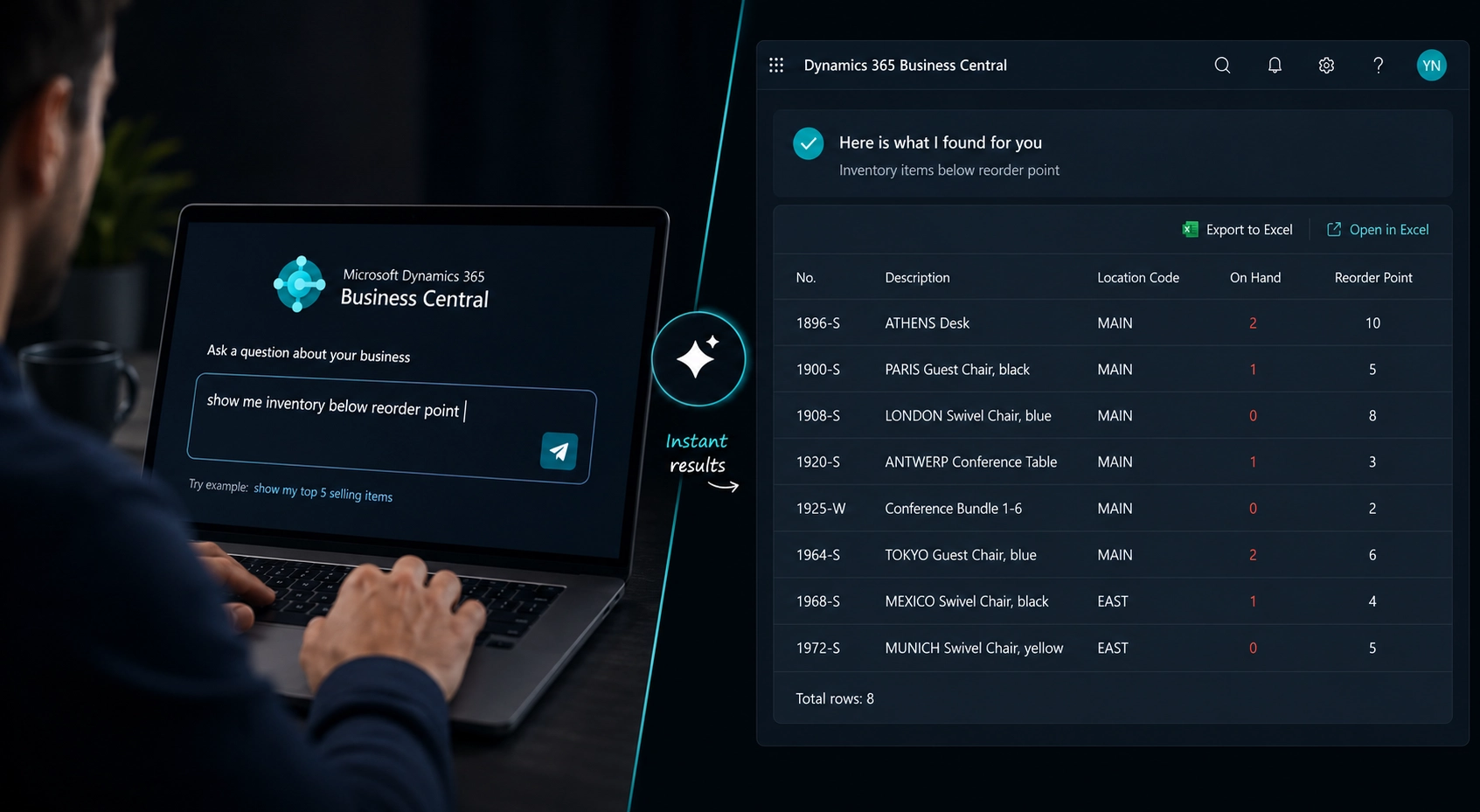
4. Natural Language Data Queries
Ask Copilot questions in plain English:
- "Which customers haven't ordered in 90 days?"
- "Show me the top 10 items by margin last quarter."
- "What invoices are overdue for more than 30 days?"
Copilot interprets the question, queries your Business Central data, and returns a structured answer — without requiring you to build a report or write a filter.
5. Cash Flow Forecasting
Copilot analyses your receivables, payables, and historical cash patterns to project a rolling cash position. For Lebanese businesses managing USD and LBP simultaneously, this visibility can be critical.
What Copilot Does NOT Do (Yet)
Being honest matters here. Copilot has real limitations:
- It doesn't replace your accountant. It assists with reconciliation; it doesn't close books or handle complex multi-currency adjustments autonomously.
- Arabic language support is limited. Copilot works best in English. If your data and queries are in Arabic, responses can be inconsistent. Microsoft is actively improving this — check back in 2027.
- It requires clean data. If your item catalogue has inconsistent naming, duplicate vendors, or unmapped accounts, Copilot's suggestions will reflect that noise.
- Not all features are available in all regions. Some Copilot capabilities require your Business Central tenant to be on a supported Azure region. Check with your partner before assuming full availability.
Do You Need a New Licence?
Most Copilot features inside Business Central are included in your existing Essentials or Premium licence at no additional cost. This is a significant advantage over competitors — you do not pay extra for the AI layer.
Some advanced features (particularly those involving Microsoft 365 Copilot, such as Teams meeting summaries or Outlook integration) require a Microsoft 365 Copilot add-on at approximately $30/user/month. Your partner should review your current licensing before activating anything.
Is Your Business Ready for Copilot?
Three questions to assess readiness:
- Is your Business Central version current? Copilot requires version 23 (2023 Wave 2) or later. If you are on an older version, discuss an upgrade.
- Is your data clean? Copilot is only as good as your underlying data. A data quality review before activation prevents poor suggestions.
- Do your users work primarily in English? If yes, you will get the full benefit. If primarily in Arabic, wait 12 months for improved support.
How to Activate Copilot in Business Central
Copilot features are not automatically on for all users. Activation involves:
- Enabling Copilot in your Business Central admin centre
- Assigning feature-level permissions to specific users or roles
- Configuring which modules surface Copilot suggestions
- Running a pilot with 2–3 power users before rolling out company-wide
We handle this activation as part of our Copilot deployment service. Contact us if you want to know what is possible for your specific Business Central configuration.
Conclusion
Microsoft Copilot in Business Central is not hype — the bank reconciliation and order creation features alone deliver measurable time savings in the first month. But it works best when your data is clean, your version is current, and you set realistic expectations about what it will and will not do.
If you are already on Business Central, there is a good chance you can activate core Copilot features this week. If you are evaluating Business Central, the fact that Copilot is included in the standard licence — with no AI premium — is a real differentiator.
Ready to see what Copilot would look like in your operation? Talk to our team or use our AI cost estimator to understand the full investment.
Index of Solutions is a Microsoft Certified ERP partner based in Beirut, Lebanon. We implement, configure, and support Dynamics 365 Business Central for companies across Lebanon and the region.